Don't know how to get more sales? We've got something that will make you say "Eureka!". Read on to learn how to sell products on Heureka and transform deal-hunting shoppers into your loyal customers.

Heureka Group owns nine popular price comparison sites, including Hungarian Arukereso, Romanian Compari, Bulgarian Pazaruvaj, and Slovenian Ceneje.
Heureka Group's main online shopping portal is simply known as Heureka. It has two versions – Heureka.cz and Heureka.sk, which work in the Czech Republic and Slovakia respectively. Heureka combines the features of a price comparison platform and a marketplace, allowing shoppers to compare goods and purchase them directly on the portal.

When visitors want to buy from you, they simply click the "To the store" button, and you don't pay anything for this. However, your reach is quite small. That's because shoppers will see your offers only when using the full-text search, most often at the bottom of the results.
If you upgrade to the PPC mode, Heureka will create separate pages for your items. Now, users can do much more on the platform than just go to your e-store: they can view the details of your product, read its reviews, monitor its price, and save it to favorites. Heureka will also include your goods in its categorized catalog, making it easier for shoppers to find them and compare with similar ones.
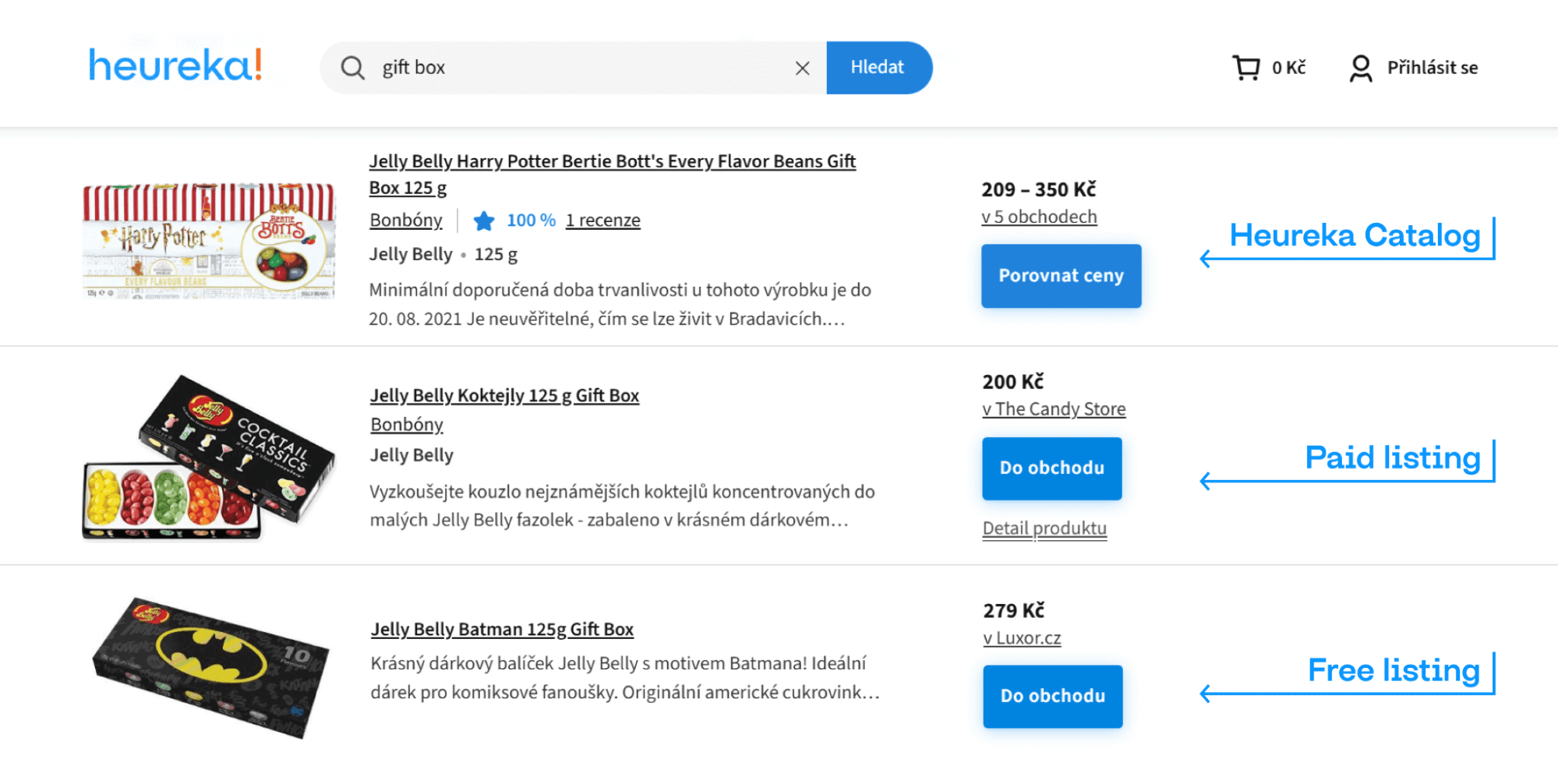
The name "PPC" stands for price-per-click and explains the main point of this mode. Unlike in the Free mode, you now need to pay for every time someone comes to you via the "To the store" button. But in exchange, Heureka will show your goods higher in listings. What's more, you can lift them above competitors on product pages, even if their offers are cheaper.
Heureka uses an auction system to decide the order of displayed offers. The platform has base rates per click that depend on your product's price, its category, and the amount of competition. But you can pay more to get better positions.
Heureka is a certified Premium partner of the Google Comparison Shopping Service (CSS) program. If you're using Google Shopping Ads, you can run your campaigns with Heureka and get a 20% discount on your costs-per-click.
The Czech and Slovak platforms together have over 5,8 million unique visitors every month. On top of that, Heureka also shows your products on its satellite websites, further increasing this already huge number of potential customers.
Every e-store selling on Heureka can use its free Conversion Tracking service. With it, you can easily find out which categories and products bring you the most profit, as well as where you can get even more customers.
Thanks to the free Verified by Customers service, you can collect reviews from those who actually purchased from you. And if you have enough positive feedback, you'll receive a special certificate as proof of your great reputation.
Those who join and sell on Heureka Marketplace not only give shoppers a way to buy their items directly on the platform, without going to the store's website. Such sellers also increase their turnover by an average of about 28%.
You can participate in the Heureka Bidding auction and be among the four recommended stores on a product page, regardless of your offer's price. You will be in the most visible place, where up to 44% of all clicks to e-stores are generated.

Product feeds are the only way how you can get products on Heureka. Surely, you can first sign up on the platform, set up everything else there, and only after that connect the feed, but we don't recommend doing that. If you prepare a feed beforehand and upload it right during registration, you will start selling products on Heureka much sooner.
However, creating a feed from scratch isn't as easy as it sounds. You'll have to study lengthy requirements, think about round-the-clock availability via HTTPS, watch out for errors and inconsistencies sneaking into the feed… Sounds daunting? Then simply use our product feed software and forget about all these troubles.
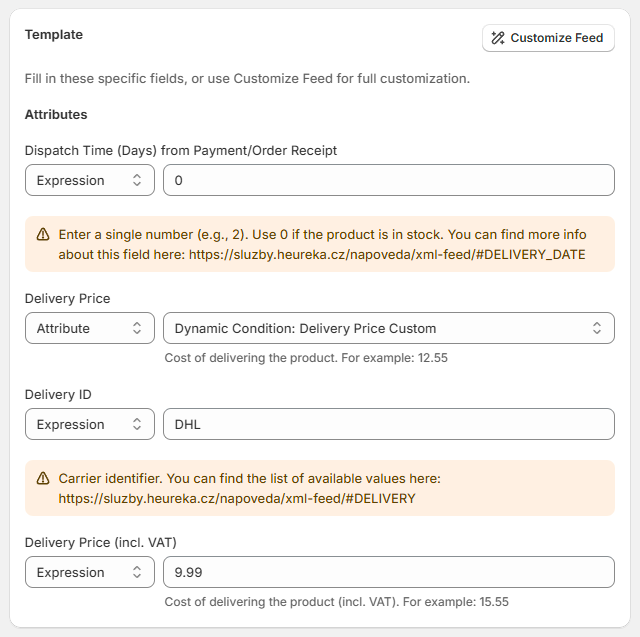
With Mulwi, you'll have a ready-to-go feed in just a few clicks. You only need to match the information from your store to the attributes in our Heureka Shopify feed template. Mulwi will do the rest of the job, including hosting. As a result, you'll receive a file link that you should simply give Heureka later.
Ready for hassle-free feed management with Mulwi? Then head over to the Shopify app store to get it.
Heureka has slightly different requirements for the Czech feed and the Slovak feed. But if you create a feed with Mulwi, you can easily make a perfect file for both regional platforms thanks to the translation feature and support for Shopify Markets.
Great, you've got a feed and its URL. If you're going for the Czech and Slovak Heurekas at the same time, then you should have two separate feeds, each with its own URL. Now you're all set to sell with Heureka.
Joining Heureka is as easy as filling out a few forms. You'll first have to create a user account on any of the regional Heurekas. You can then use this one account to log in to both sites.
Next, you'll register your e-store. This process is just as simple: you give Heureka some basic business info and the feed URL that you received earlier. However, if you want to sell products both on Heureka.cz and Heureka.sk, then you must set up stores on each platform separately.
Heureka's team manually reviews all applications for the new stores. If there are no problems, you'll get approval within two business days.

Mulwi knows what Heureka desires and will help you make a feed it'll love. Our Heureka template already includes all the necessary info and can become a sales-attracting feed in just a few clicks. You can also customize this default template and sprinkle in some of your brand's charm. And with Mulwi's vast features, such as translation, category mapping, and Shopify Markets support, you'll easily get two equally great feeds for both Czech and Slovak sites.
With Mulwi, your product feeds will be the next big hit on Heureka.