Still running around searching where to get more sales? You're at the finish line: we know the perfect place for you! Keep reading to find out how to sell products on PriceRunner and bring in new customers to your store.

Each of PriceRunner's three platforms features several millions of goods from hundreds of retailers. Shoppers come here to compare all these offers and look out for the best deals. Users trust the site for its independent and unbiased information where only the price matters most.

When viewers want to buy from you, they simply click on your offer and go straight to your store. They can also view specifically your goods and store information while still on PriceRunner, as each registered merchant also has their own page on the platform.
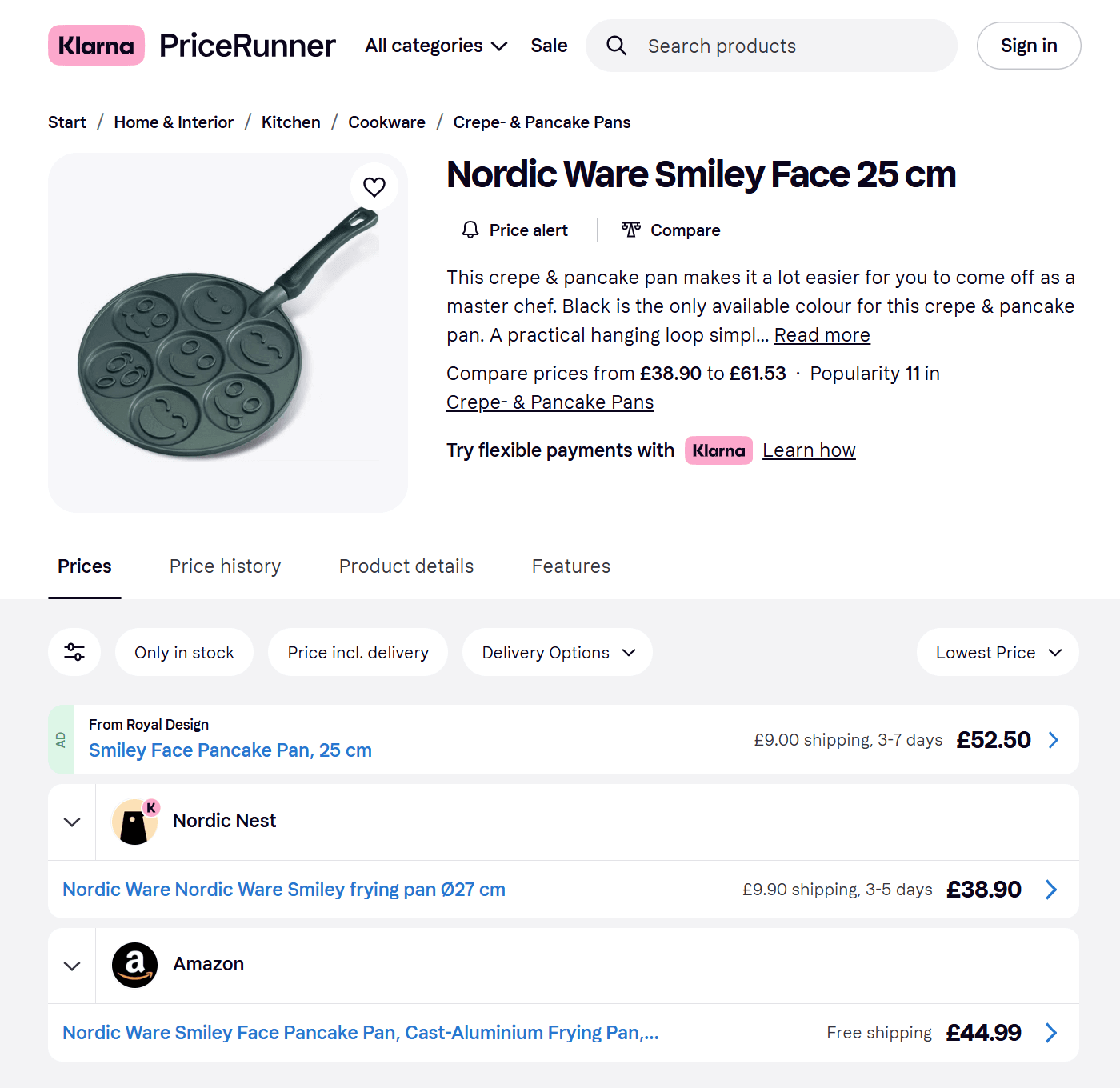
Stores that sell on PriceRunner are charged on a pay-per-click model. In other words, you pay for each time the platform redirects a visitor to your store. PriceRunner has base rates that depend on the product's category, but you can also increase your bid to promote your offers both on the product pages and in category catalogs.
PriceRunner gets around 18.2 million monthly visits across all countries where it operates. What's more, most of its visitors are very close to making a purchase, thus more likely to become your customers.
As long as you're able to ship products to customers from your local warehouses, you can sell with PriceRunner using a legal entity registered in any region, not just the UK, Sweden, or Denmark.
PriceRunner has a free Verified Reviews feature that can help you gather feedback from your real buyers. The platform's visitors can then read these reviews and see for themselves that you're a safe choice.
More than 100,000 offers from PriceRunner regularly appear in the top 10 positions on Google. The site's unique format is also highly successful at attracting consumers and has an average click-through rate of 7%.
Those selling on PriceRunner can join its Buyer Protection program at no extra cost. Thanks to it, if something goes wrong during delivery, you can get PriceRunner's help in paying compensation to your customers.
PriceRunner has a dedicated Merchant Zone that gathers together many insightful statistics, from product price history and clicks reports to bidding overview and invoicing. The basic version of this tool is free.

A product feed is the quickest and easiest way to get your products on PriceRunner. Although a feed's not mandatory right at the beginning, if you prepare it beforehand, you'll go live and reach first sales on PriceRunner much faster.
However, creating a feed manually definitely isn't the best option. The platform has many requirements regarding these files, among which the biggest obstacle is the need to host them on a server that's available 24/7.
Our product feed software comes to your rescue. Thanks to our PriceRunner Shopify feed template, you can present your goods exactly as you want without delving into the feed's technical details. And most importantly, Mulwi includes hosting by default, so you'll receive both the file and a permanent link to it.
You can both install our app from the Shopify app store and make a PriceRunner feed with Mulwi in just a few minutes.
You can sell products on PriceRunner only after talking to its managing team. Each regional platform has its own contact form that lets you quickly reach the right representatives, so simply visit the site you're aiming at and send a request through this short form.
PriceRunner's managers will arrange a meeting with you to go over your questions and needs. Now you should also let them know that you already have a product feed and give them its link, as this will greatly help speed up the registration process.
Once you've negotiated everything, you'll next sign an agreement, and PriceRunner will then add you to their merchant platform.
You're almost there! One of PriceRunner's specialists will shortly email you the credentials for logging in to your merchant dashboard. It's time to give your fresh account a makeover and set it up for the big opening. Some things we recommend you do are set a monthly spending limit, upload your company logo, and check that your product feed is working properly.
When you're done, ask the platform's team to review your profile. In case of no problems, you'll start selling products on PriceRunner within 1-2 working days.

The easiest and most reliable method to create a feed is with special software, such as Mulwi. Our app has ready-to-use templates for dozens of channels, including PriceRunner. You simply need to match the data from your store to the template's attributes – and voilà! You've made an ideal feed in under a few minutes. And you've done that directly from your Shopify admin.
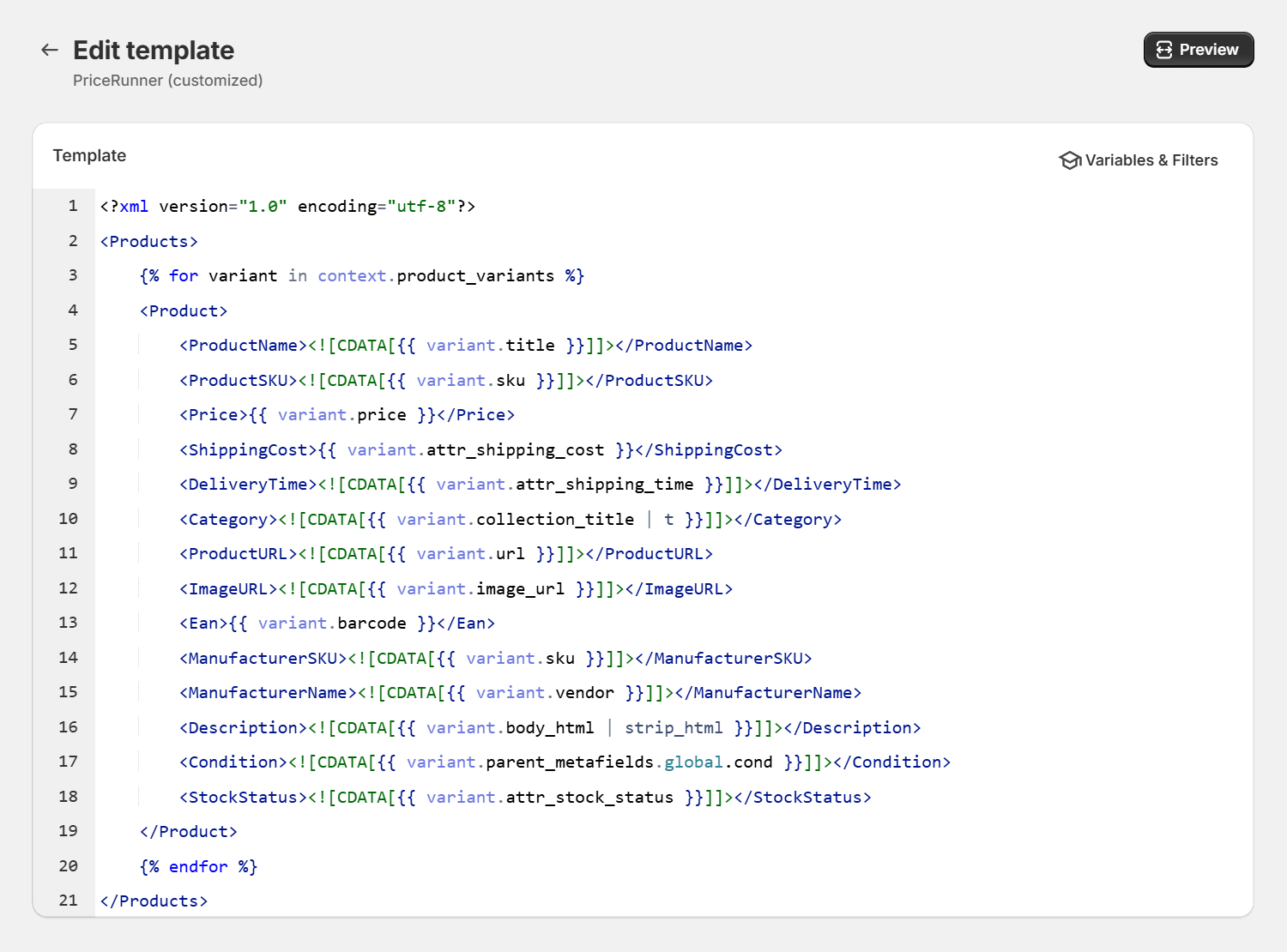
Our feeds are fully customizable, so you can mix your brand's uniqueness in it however you like. On top of that, our PriceRunner template works for all three regional sites: just pick the appropriate translation and prices from Shopify Markets to localize your feed.
With Mulwi's product feeds, your goods on PriceRunner will be the best deals of every day.