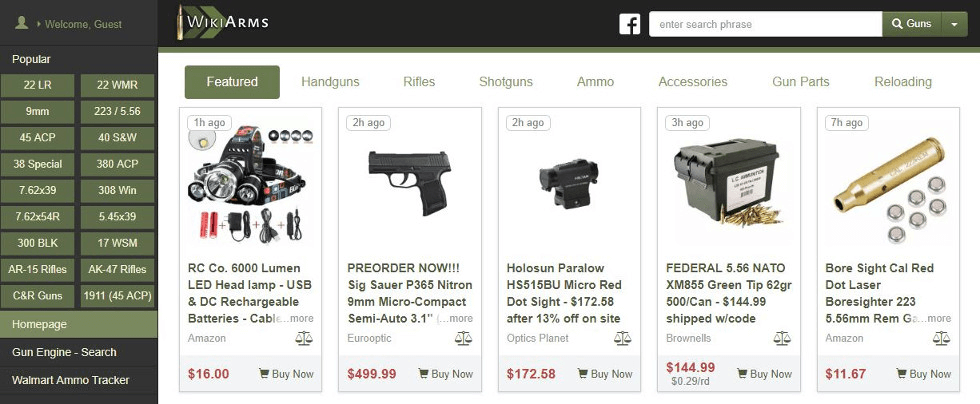
WikiArms is a US online search engine for ammo, reloading, firearms, and parts. People come here to quickly find the best offers for gun-related goods among over 500 third-party retailers. Owned by Gun.Deals, WikiArms has been operating since 2012.
WikiArms’ catalog features almost everything for charging and upgrading firearms. Gun owners check on the platform where to best stock up with ammo in various gauges, magazines, pistols, rifles, components, and much more.
WikiArms gives an easy way to track the finest gun accessories at the lowest prices. Searchers can filter items by different attributes, such as caliber, model, brass and steel case, and more.
Beyond just browsing products, users at WikiArms can also compare them. The platform has a dedicated section for good deals and a tool that shows side-by-side the weight, velocity, casing, and other specifications of popular ammo brands.
For sellers, listing their products on WikiArms means gaining more visibility in the weapon niche. Thanks to its simple cost-per-click pricing model, this sales channel is great for efficiently investing in new qualified traffic for your online store.

WikiArms is a go-to shopping advisor for millions of firearm enthusiasts across the US. Your high-caliber deals can easily turn all these bargain hunters into your happy customers.
WikiArms has a set monthly membership fee that includes unlimited listings and free 2000 click-throughs to your online store. You can get a discount with an upfront yearly payment.
Besides a desktop site, WikiArms also has apps for Android and iOS with hundreds of thousands of regular users. Selling here is a great way to get more leads in the mobile segment.
You can fire up your visibility on WikiArms with various banner ads and lure in more savvy shoppers with coupons. The platform can even promote your top offers in its e-newsletter.
To join WikiArms as a vendor, you need an XML product feed with your assortment. However, creating a feed is more complex than it seems at first, because there are many rigorous specifications for its structure.
For starters, the entries in a feed for WikiArms must have different content based on your offer type (ammunition, weapon, parts, reloading, etc.). And secondly, it is your responsibility to maintain an accurate feed and regularly upload an up-to-date file to the platform.
Working with WikiArms feeds manually is tedious and very inefficient. But you can make product feed management simple, fast, and enjoyable with a dedicated app like Mulwi.
Mulwi will help you set up a compliant feed in just a few clicks. You simply adjust some basic settings, pick the items to include using filters, and relax as our app takes care of the rest. You can also freely customize the feed’s template in case you want to give it your personal touch.
And here’s the best news: Mulwi can even update your listings on WikiArms for you. You’ll receive a unique feed URL that, when accessed, generates a fresh file with the latest info straight from your store. WikiArms will get your current deals whenever necessary through this link, while you won’t have to worry about editing outdated info yourself.
When your feed is ready, confidently head over to the WikiArms contact page and fill out there a super straightforward application form. In your message body, paste the feed URL you got from Mulwi and ask the site’s team to connect your product feed via this link. After that, all you’re left to do is wait for a representative to get back to you with the next steps.
Facing issues with product feeds? Mulwi’s experts will gladly help you sort them out. Plus, we can build a custom sales-boosting feed for your needs, absolutely for free.