Seeking new opportunities to expand your business? With Webgains, you can get the most out of affiliate marketing. Keep reading to learn how to sell products on Webgains and make smart connections that will attract success.
Webgains is based in the UK and has eight offices in Europe, namely in Bristol, London, Manchester, Amsterdam, Paris, Madrid, Milan, and Nuremberg. This international team of over one hundred employees uses its world-class expertise and cutting-edge technology to help more than 1800 merchants who sell with Webgains build new relationships, drive more customers, and gain profit.
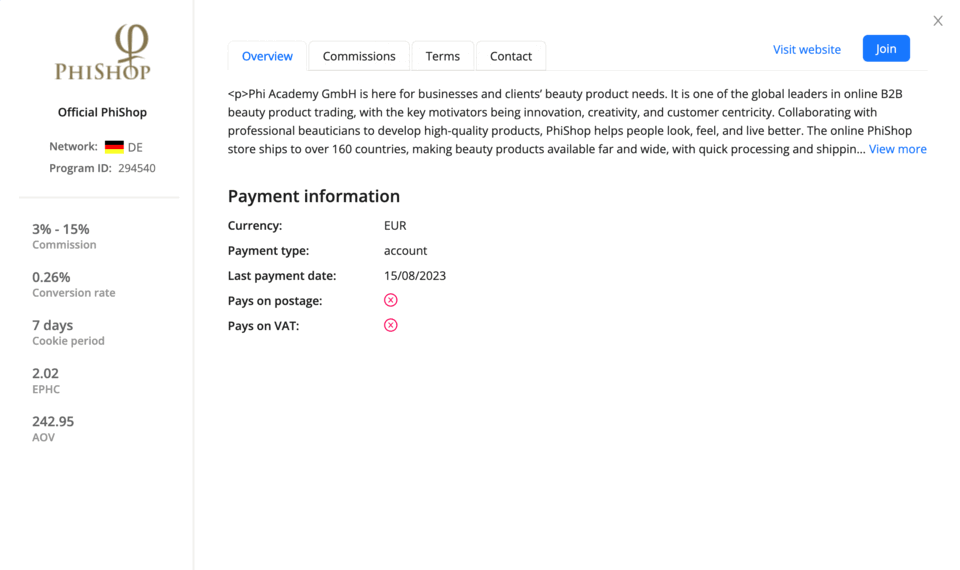
Each program has a dedicated page on the platform where publishers can view all this information and apply to work with you. Approved publishers will also find your promotional creatives on this page, including banners, product details, and referral links.
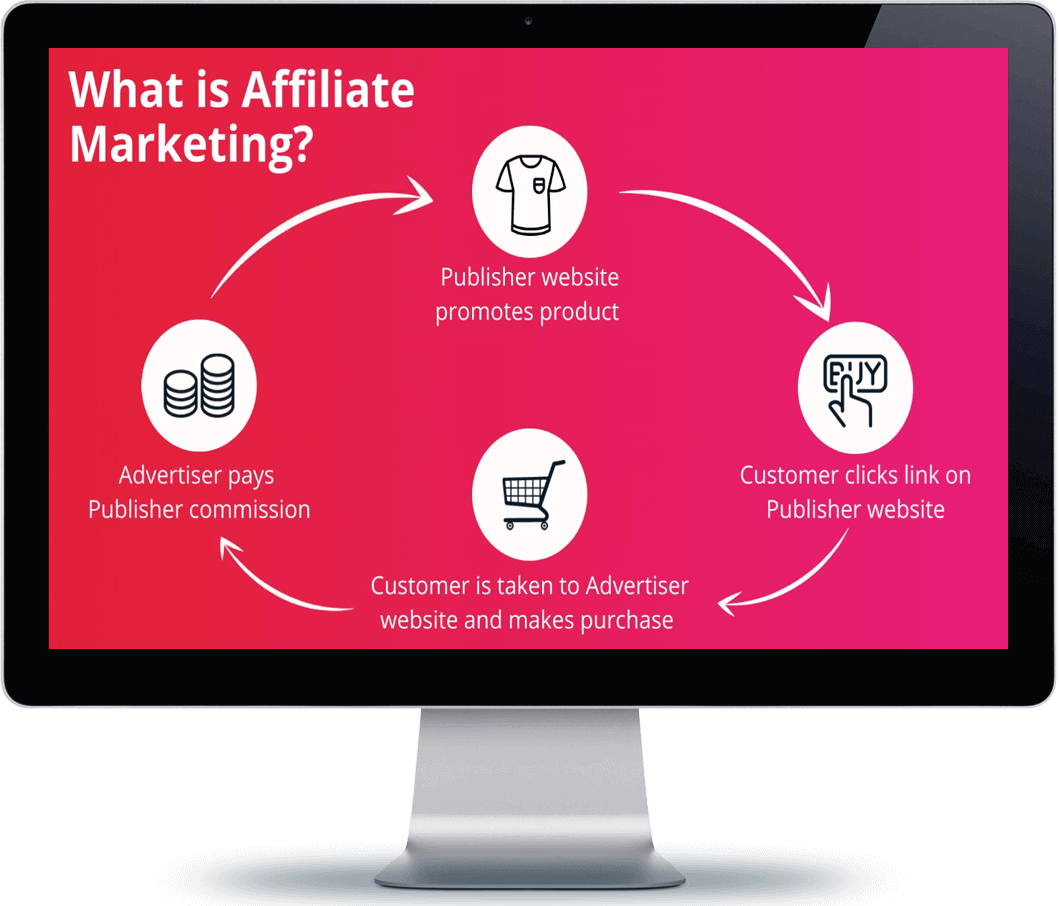
Affiliates will use the materials you provide to promote you on their websites, blogs, social media, or elsewhere. Their ads will take anyone who clicks on them directly to your store. Webgains will then track the visitor's activity on your website to check whether they eventually become your customer.
You repay your partners for every successful sale they drive with a commission. Webgains allows you to decide on the commission rates on your own. Retailers most commonly choose to pay off a percentage of the customer's order value.
Unfortunately, you cannot sell products on Webgains for free. You will have to pay a monthly fee that depends on the services you use. However, its size is insignificant compared to the benefits and profits you get from this network.
If you're selling on Webgains, you gain access to a constantly expanding network of over 250,000 vetted publishers from more than 150 countries.
You don't need to worry about unprofitable clicks and unqualified leads. On Webgains, you only pay for the results, and even name your price for them.
Your partners can vouch for you to their vast, established, worldwide audiences, helping you reach new people and earn their trust.
Webgains is the first affiliate network to receive the B Corp status for demonstrating high standards in performance, transparency, and accountability.
Webgains has an Affiliate Discovery tool that uses AI and ML technologies to recommend the most suitable publishers for your program.
With a Smart Commissions feature, you can set up multiple different commissioning schemes for specific products and publishers.

To join the network, new advertisers must first reach out to the Webgains team. You can get in touch with them through the contact form on the company's main website. Webgains will then arrange a meeting with you to discuss all aspects of your future cooperation, including the service level and pricing plan.
Great, you've agreed on the cooperation terms and received the credentials to access the advertiser platform. But it's still a bit too early to list your products on Webgains. You need to set up a few other things in your new account before that. If you don't, publishers won't be able to have any business with you at all.
Firstly, you must add tracking to your Shopify store. This will let Webgains record what referred shoppers do on your site and whether they buy something. And secondly, you must complete your affiliate program. Give your partners everything you've got: attractive description, competitive commissions, and, of course, diverse assets.
Next comes the answer to your burning question "How do I get my products on Webgains?" You will need to prepare a product feed for that. However, we don't recommend you just go and make one manually. You're very likely to take long hours to do this and even end up with some errors slipping in.
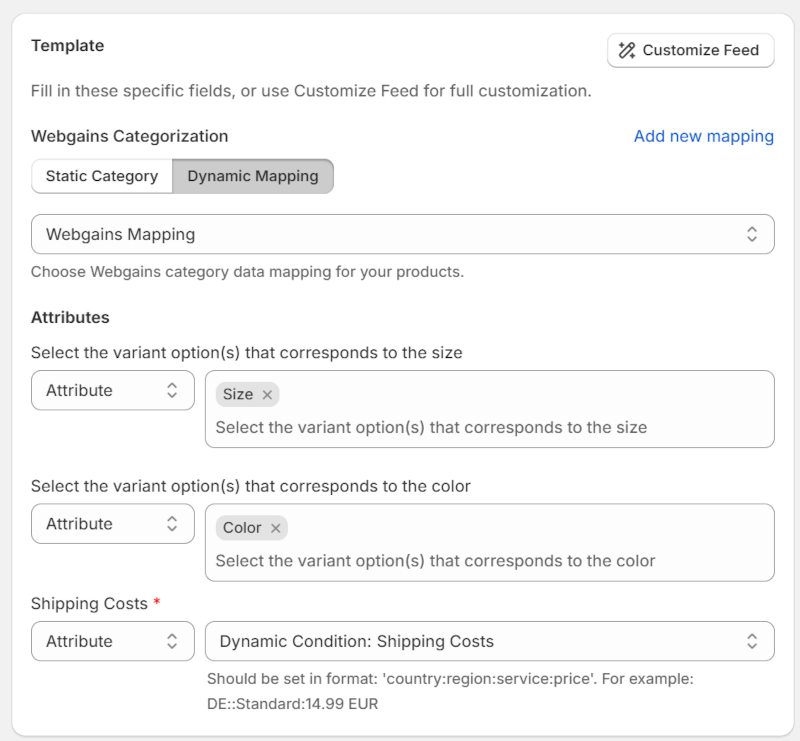
Our product feed software has you covered. We have a customizable Shopify Webgains product feed template that will help you create a flawless feed out of your Shopify catalog in a matter of minutes. You just need to match the template's attributes to the information from your store. If you want to, you can also filter what products go in the feed and change their presentation.
Curious to see Mulwi in action? Then get it from the Shopify app store and experience hassle-free feed management for yourself.
Webgains expects all product feeds to follow its specifications. If you create a feed with Mulwi, you won't have to worry about breaking any of these rules. We've infused our Webgains feeds with a perfect blend of necessary and recommended.
Now that you have the feed, it's finally time to get your products on Webgains. All that's left is to connect the feed to your advertiser account. If you do so using the feed URL from Mulwi and turn on scheduled updates, Webgains will regularly receive a fresh file with your store's most recent information. Once processed and validated, your newly linked feed will become available to publishers.
You're almost there! Just submit your affiliate program to the Webgains quality team for a final check. After verification, your program will go live, and you will finally start selling online on Webgains. Don't stop yet, though, because you will succeed much faster if you take the initiative and invite new partners yourself. The Affiliate Discovery tool will greatly help you in this search.

When you want to sell products on Webgains or other sales channels, you can use the feed to quickly upload information about all your items in one go. With the right approach, feeds can serve you well at not only transferring data but also attracting shoppers and driving sales.
Our partnership with Webgains has helped us make our feed management process both robust and intuitive. Thanks to Mulwi's template for Webgains, you can create a balanced feed that will show your products in the best light in just a few clicks. If you want to add your brand's charm to the template or product data, Mulwi has countless tools for any occasion. And our advanced category mapping will ensure that your stars don't accidentally get lost in the wrong categories.
With Mulwi's product feeds, you will gain hundreds of new happy customers on the web.